> ## Documentation Index
> Fetch the complete documentation index at: https://docs.flowpayroll.ai/llms.txt
> Use this file to discover all available pages before exploring further.
# Payroll Journals
> Put your payroll journals in Flow.
Every time you run payroll, your finance team needs a journal — a structured record of where every pound of payroll cost sits in your accounts. Historically, that meant downloading payslip data, opening a spreadsheet, and manually sorting costs by department, nominal code, and control account. It was slow, error-prone, and had to be done again next month.
Flow Payroll's Payroll Journals feature eliminates that process entirely. The journal is built automatically from your pay run data — balanced, formatted, and ready to export to Xero or your accounting system of choice, every time.
 ## What it does
Payroll Journals automatically generates a complete double-entry journal every time a pay run is processed. It covers:
* Gross wages and every pay element, mapped to the nominal codes in your chart of accounts
* All statutory deductions — PAYE, employee NI, employer NI, pension contributions, student loans, and more
* Employer on-costs, including employer NI and pension, apportioned precisely across departments by each employee's actual gross pay
* Control accounts for net pay, HMRC liabilities, and pension payables
* Cost splits by department, cost centre, or any custom tag group you use in Flow
## How it works
The journal is generated in the background as soon as payslips are calculated. By the time you're reviewing your pay run, the journal already exists as a provisional view. When the pay run is locked, the journal locks with it — automatically.
There is no separate finalise step. Locking the pay run and locking the journal happen together.
## What it does
Payroll Journals automatically generates a complete double-entry journal every time a pay run is processed. It covers:
* Gross wages and every pay element, mapped to the nominal codes in your chart of accounts
* All statutory deductions — PAYE, employee NI, employer NI, pension contributions, student loans, and more
* Employer on-costs, including employer NI and pension, apportioned precisely across departments by each employee's actual gross pay
* Control accounts for net pay, HMRC liabilities, and pension payables
* Cost splits by department, cost centre, or any custom tag group you use in Flow
## How it works
The journal is generated in the background as soon as payslips are calculated. By the time you're reviewing your pay run, the journal already exists as a provisional view. When the pay run is locked, the journal locks with it — automatically.
There is no separate finalise step. Locking the pay run and locking the journal happen together.
 ## Journal templates
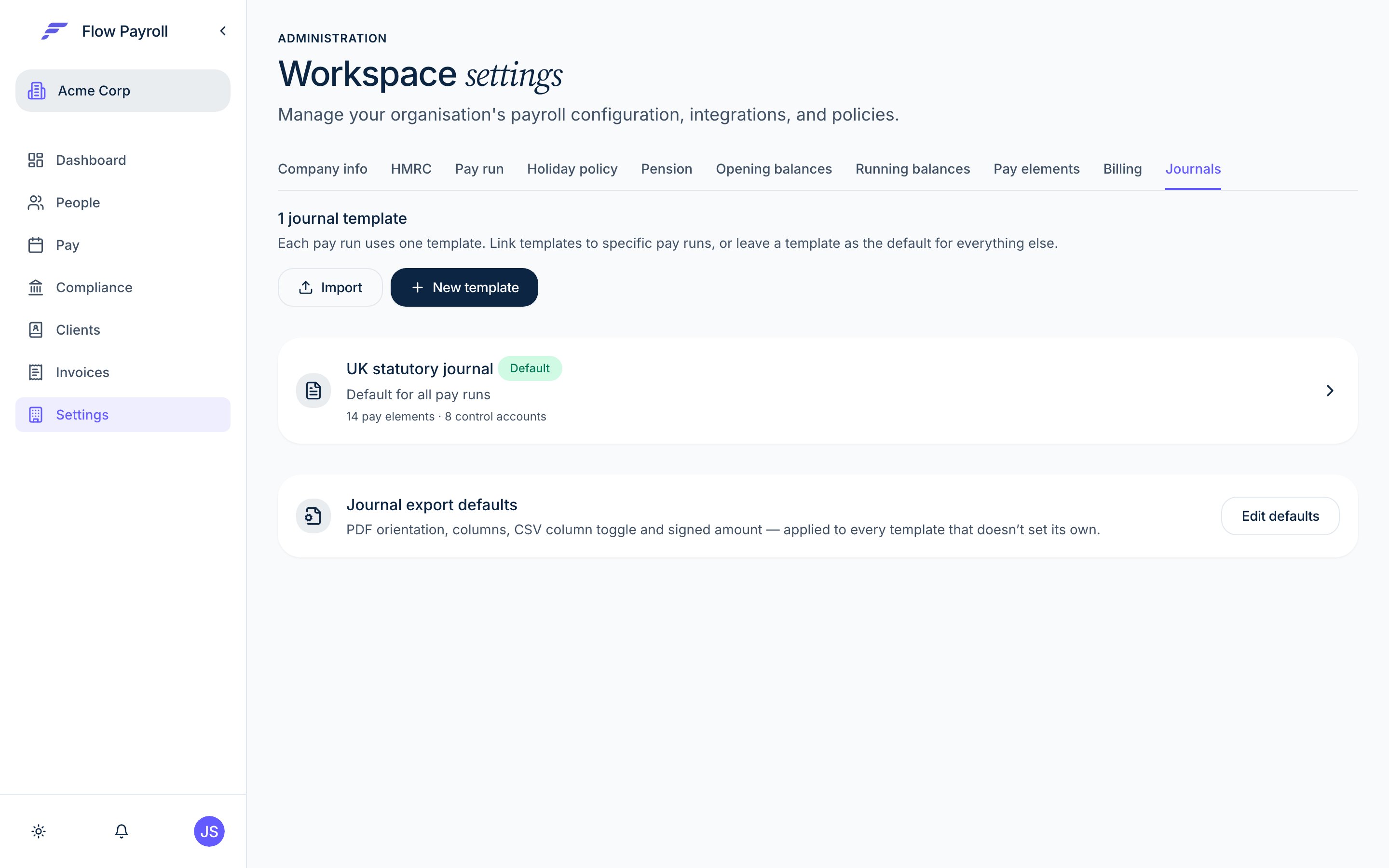
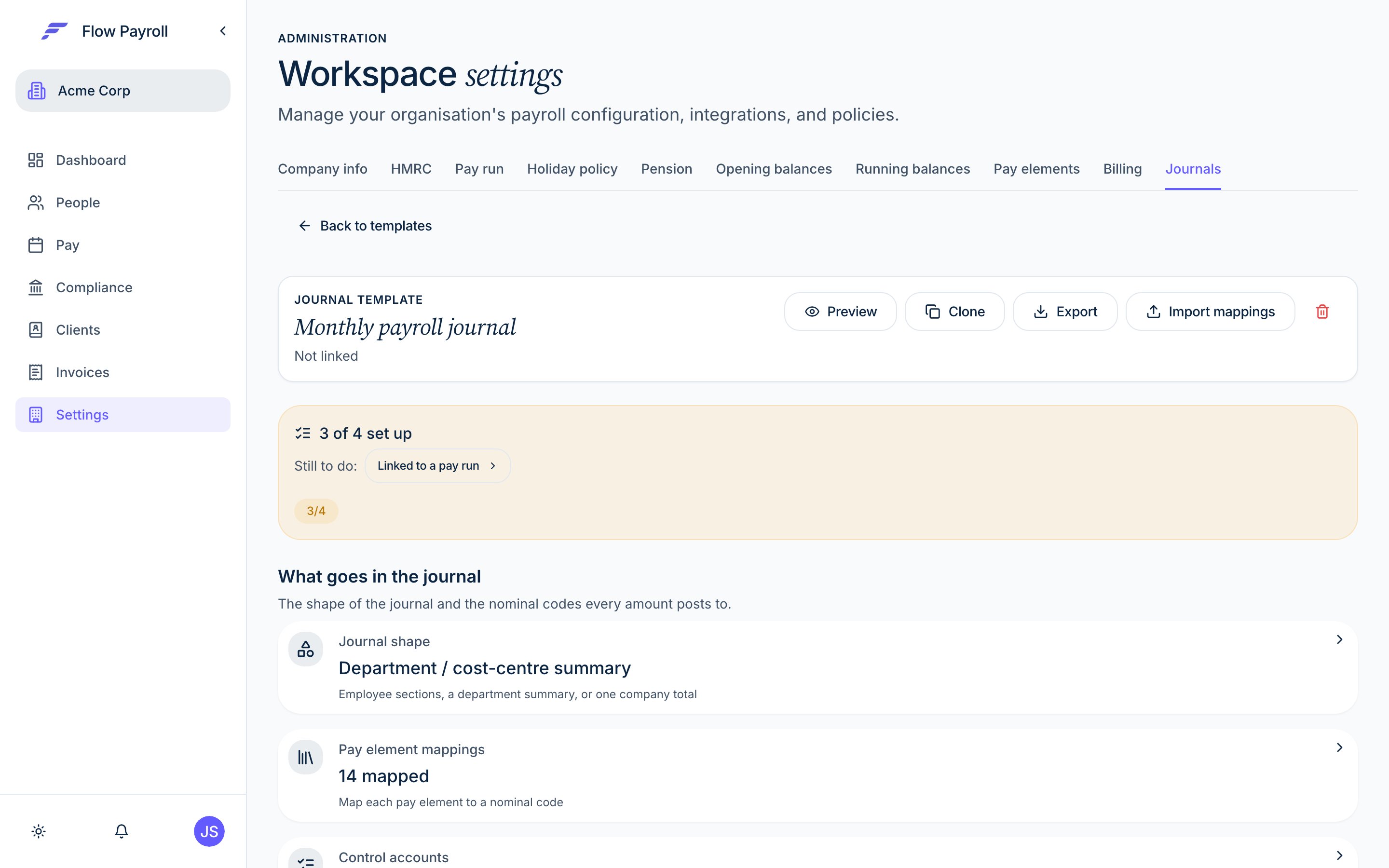
You set up a journal template once, in Workspace Settings. The template defines:
* Which nominal codes each pay element maps to
* Which accounts handle PAYE, NI, pension, net pay, and other statutory liabilities
* Whether costs should be split by department, cost centre, NI category, director status, or any other dimension
* Which pay runs this template applies to (or leave it as the default for all runs)
If you already have journal mappings from a previous system — Sage, Xero, Staffology, IRIS, or another — you can import them directly. Flow will detect the format and pre-fill your template.
Templates can also be exported and imported between companies, mappings and splits included. This is particularly useful for accounting bureaux or groups managing multiple entities.
## Split columns in your file
When a template splits costs, the recommended **One column per split level** option gives each split level its own column in the CSV — headed by the level's own name. If your levels are called "Region" and "Job title", those are the column headings your accounts team sees.
Two fixed columns — **Department** and **Cost Centre** — exist for accounting software that expects those exact headings. They only fill when a split level is actually named that way ("Department", "Dept", "Division" and similar; "Cost Centre", "Cost Code", "CC"). With any other level naming they export blank, so use **One column per split level** unless your import format demands the fixed headings.
While you choose columns, Flow previews your file's header row and warns you if a column you have ticked would export blank with your level names.
## Reconciliation guarantee
Every journal is checked for balance before it locks. If debits don't equal credits, Flow shows you exactly which nominal codes are out of balance and prevents the pay run from locking until it's resolved.
You cannot produce an unbalanced journal.
## Export formats
Once the pay run is locked, export your journal in the format your accounting system needs:
Ready to import directly into Xero, with tracking categories mapped.
Configurable columns, signed amounts, and a totals row — suitable for any system.
A clean, printable record for your files.
## Audit trail
Every journal carries a full history — who previewed it, when it locked, and what changed. The **History** tab gives you a timestamped record of every action, so your records are always audit-ready.
## Journal templates
You set up a journal template once, in Workspace Settings. The template defines:
* Which nominal codes each pay element maps to
* Which accounts handle PAYE, NI, pension, net pay, and other statutory liabilities
* Whether costs should be split by department, cost centre, NI category, director status, or any other dimension
* Which pay runs this template applies to (or leave it as the default for all runs)
If you already have journal mappings from a previous system — Sage, Xero, Staffology, IRIS, or another — you can import them directly. Flow will detect the format and pre-fill your template.
Templates can also be exported and imported between companies, mappings and splits included. This is particularly useful for accounting bureaux or groups managing multiple entities.
## Split columns in your file
When a template splits costs, the recommended **One column per split level** option gives each split level its own column in the CSV — headed by the level's own name. If your levels are called "Region" and "Job title", those are the column headings your accounts team sees.
Two fixed columns — **Department** and **Cost Centre** — exist for accounting software that expects those exact headings. They only fill when a split level is actually named that way ("Department", "Dept", "Division" and similar; "Cost Centre", "Cost Code", "CC"). With any other level naming they export blank, so use **One column per split level** unless your import format demands the fixed headings.
While you choose columns, Flow previews your file's header row and warns you if a column you have ticked would export blank with your level names.
## Reconciliation guarantee
Every journal is checked for balance before it locks. If debits don't equal credits, Flow shows you exactly which nominal codes are out of balance and prevents the pay run from locking until it's resolved.
You cannot produce an unbalanced journal.
## Export formats
Once the pay run is locked, export your journal in the format your accounting system needs:
Ready to import directly into Xero, with tracking categories mapped.
Configurable columns, signed amounts, and a totals row — suitable for any system.
A clean, printable record for your files.
## Audit trail
Every journal carries a full history — who previewed it, when it locked, and what changed. The **History** tab gives you a timestamped record of every action, so your records are always audit-ready.