

Pension defaults cover the organisation-wide auto-enrolment and postponement rules. For pension schemes, providers, and contribution groups, go to Settings and open the Pension tab.
Pension default settings
Where pension defaults live
Go to Settings, then open the Pension tab. The unified pension settings page shows your schemes, pension groups, and the organisation-level defaults together. Alternatively, navigate directly to the pension defaults page via Settings → Pension defaults if it is linked from your navigation.Auto-enrolment mode
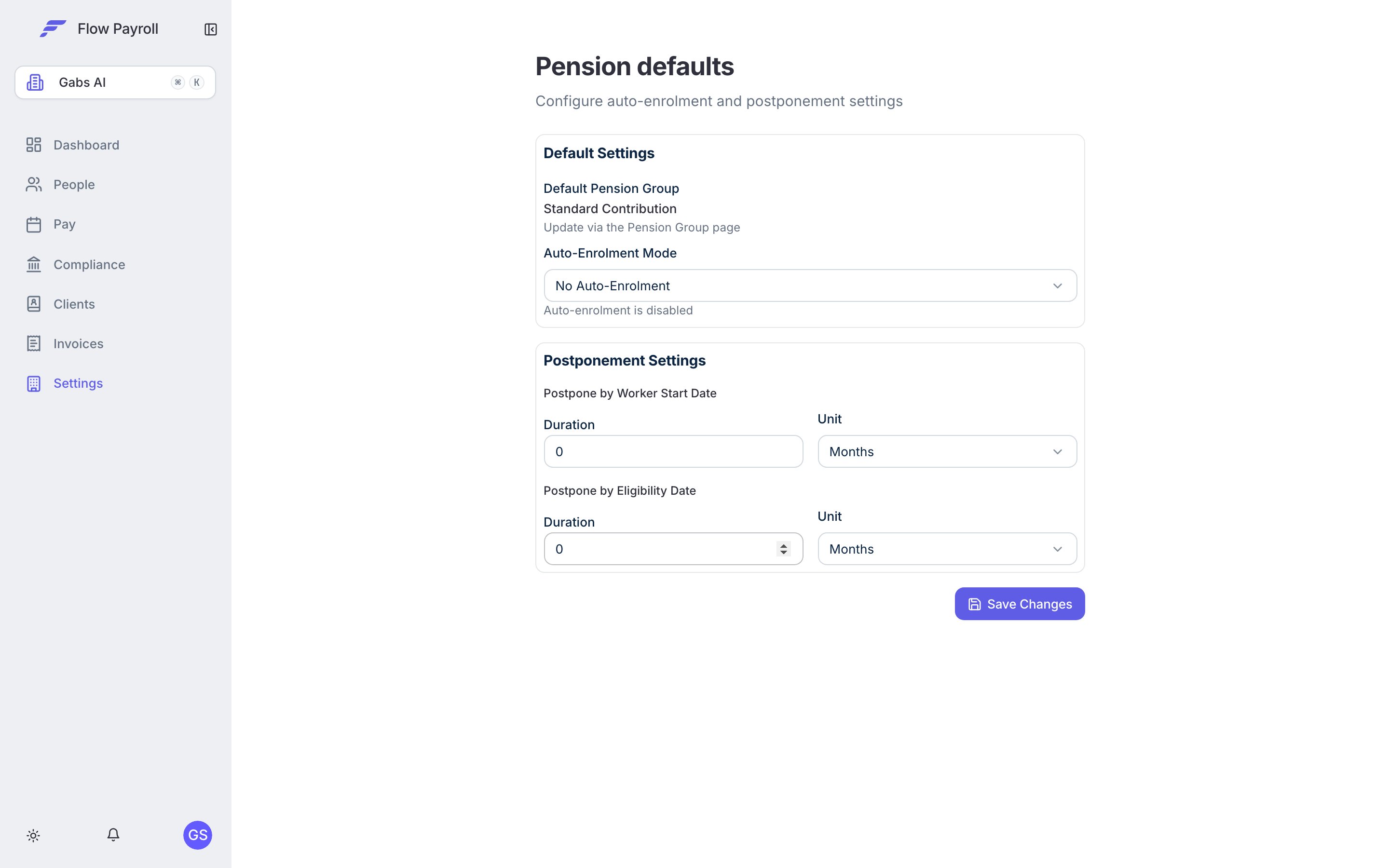
The Auto-Enrolment Mode setting controls how Flow Payroll responds when a worker becomes eligible for a workplace pension.Postponement settings
Postponement allows you to delay the auto-enrolment assessment date for a new worker. UK legislation permits postponement for up to three months from the worker’s start date or eligibility date. Flow Payroll supports two postponement definitions:Postpone by worker start date
This postpones enrolment assessment by a duration measured from when the worker joins your organisation. Set the Duration (a number) and the Unit (days, weeks, or months). For example, setting 3 months means a new starter will not be assessed for auto-enrolment until three months after their employment start date.Postpone by eligibility date
This postpones assessment by a duration measured from when the worker first becomes eligible — for instance, when they reach age 22 or their earnings first exceed the qualifying threshold. Set the Duration and Unit in the same way.Default pension group
The Default Pension Group shown on this page is the pension group new workers are initially assigned to. This determines which pension scheme and contribution rates apply. You set the default group from the Pension tab in Settings, under the pension groups section. The pension defaults page shows the current default group name for reference.Saving your defaults
After making changes, click Save Changes. Flow Payroll updates the auto-enrolment mode and postponement rules independently — only the values that have changed are sent to the server.How defaults apply in practice
When you add a new employee, Flow Payroll uses the organisation defaults as the starting point:- The employee is assigned to the default pension group.
- The auto-enrolment mode determines whether assessment is automatic or manual.
- If postponement is configured, the assessment date is deferred accordingly.
- During each pay run, eligible workers are assessed and, if auto-enrolment is active, enrolled and contributions are applied.
Where to go next
Auto-enrolment
Assess and enrol workers in each pay run, and manage ongoing pension obligations.
Pay run settings
Configure the pay schedules that pension assessment runs against.
Running a pay run
See how auto-enrolment fits into the full pay run process.
Organisation setup
Complete your HMRC settings and other organisation configuration.