

Salary is being turned on organisation by organisation. Until it reaches yours, salary stays a single figure on an employee’s payroll and tax details, and nothing on this page appears.
Where the history lives
Open People, choose a person, and go to the Employment tab. The Salary card shows the salary in force today. View salary history opens every version behind it: the date it took effect, the annual amount, the reason if one was recorded, and who recorded it and when.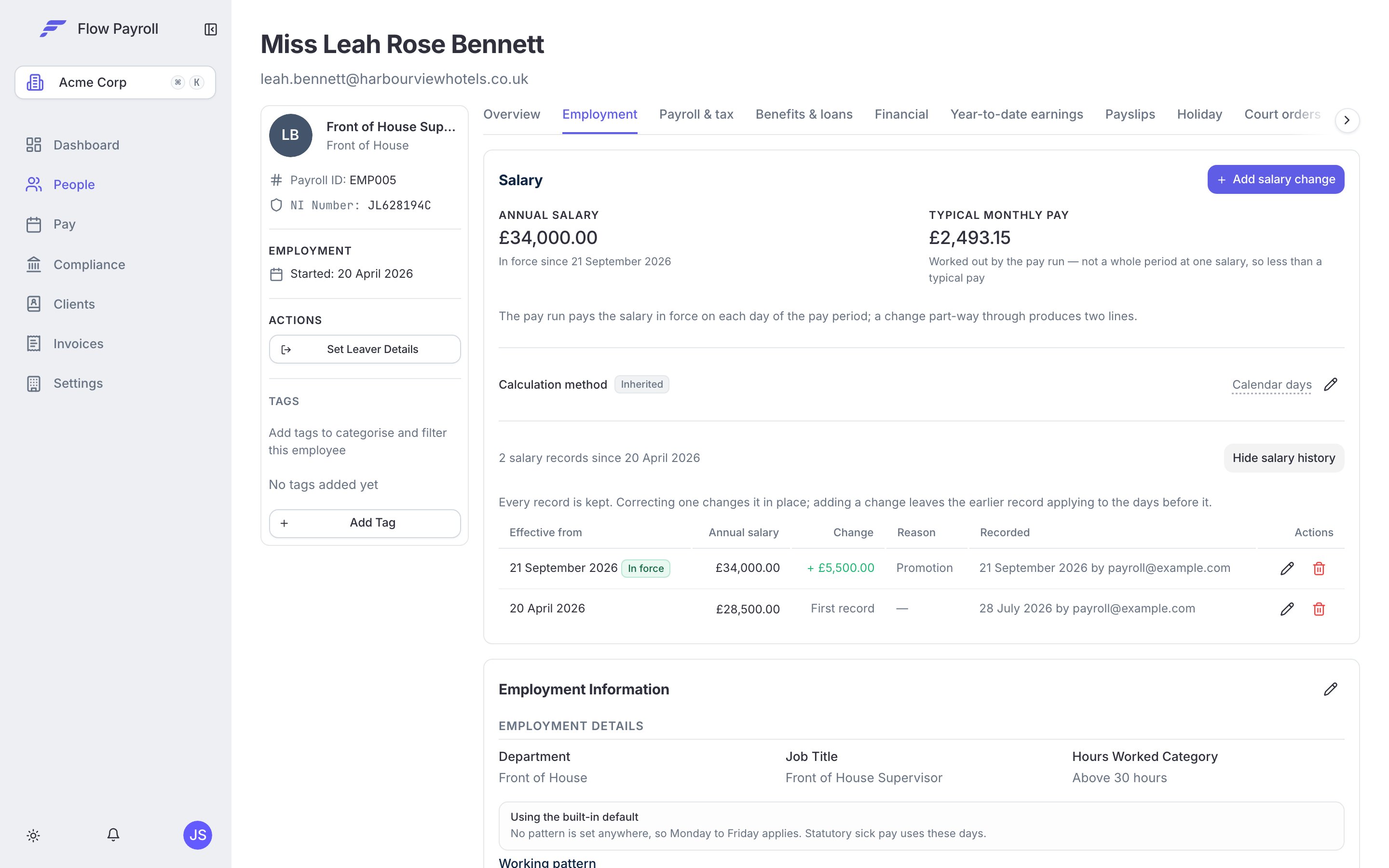

The Salary card on an employee's Employment tab, with the history open
Add a change, or correct a record
These look similar and mean different things. Pick the one that matches what happened.Add salary change
A new salary from a date. The previous figure stays in the history and still applies to the periods before that date. This is a rise, a promotion, or a reduction in hours.
Correct a record
A figure that was recorded wrongly. Editing a version changes what the period it covers is worth, so use it only when the original entry was a mistake.
1
Open the Salary card
People → the employee → Employment → Salary.
2
Add a change
Click Add salary change, enter the annual salary and the date it takes effect, and add a reason if it helps whoever reads the record later.
3
Correct or move a version
Edit a row to change its amount or reason. To move a version to a different date, delete it and add the new one — a date is what identifies a version, so correcting one in place keeps the date it already has.
4
Save
Any open pay run the employee is on is recalculated, so the change reaches the current period as well as future ones.
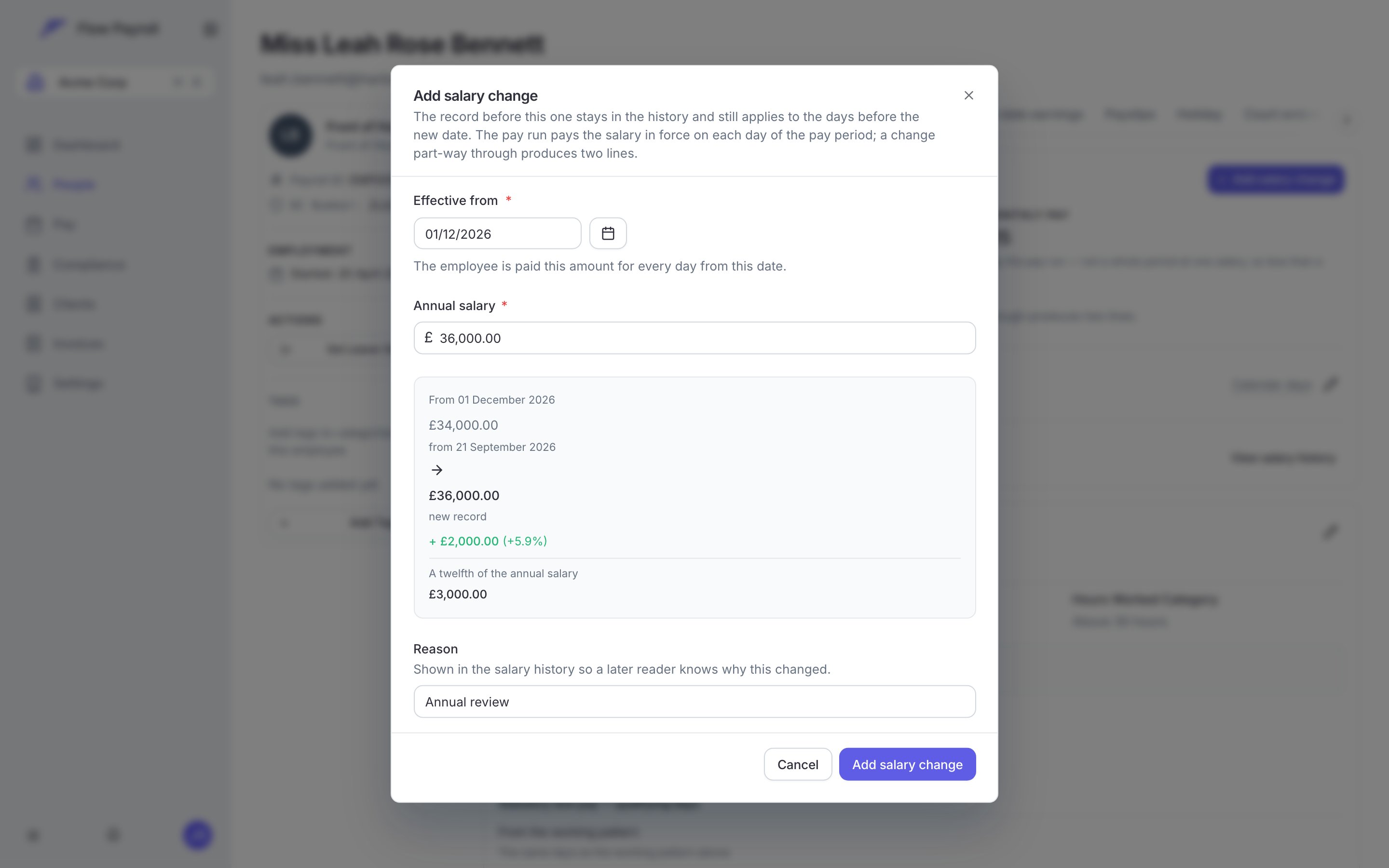
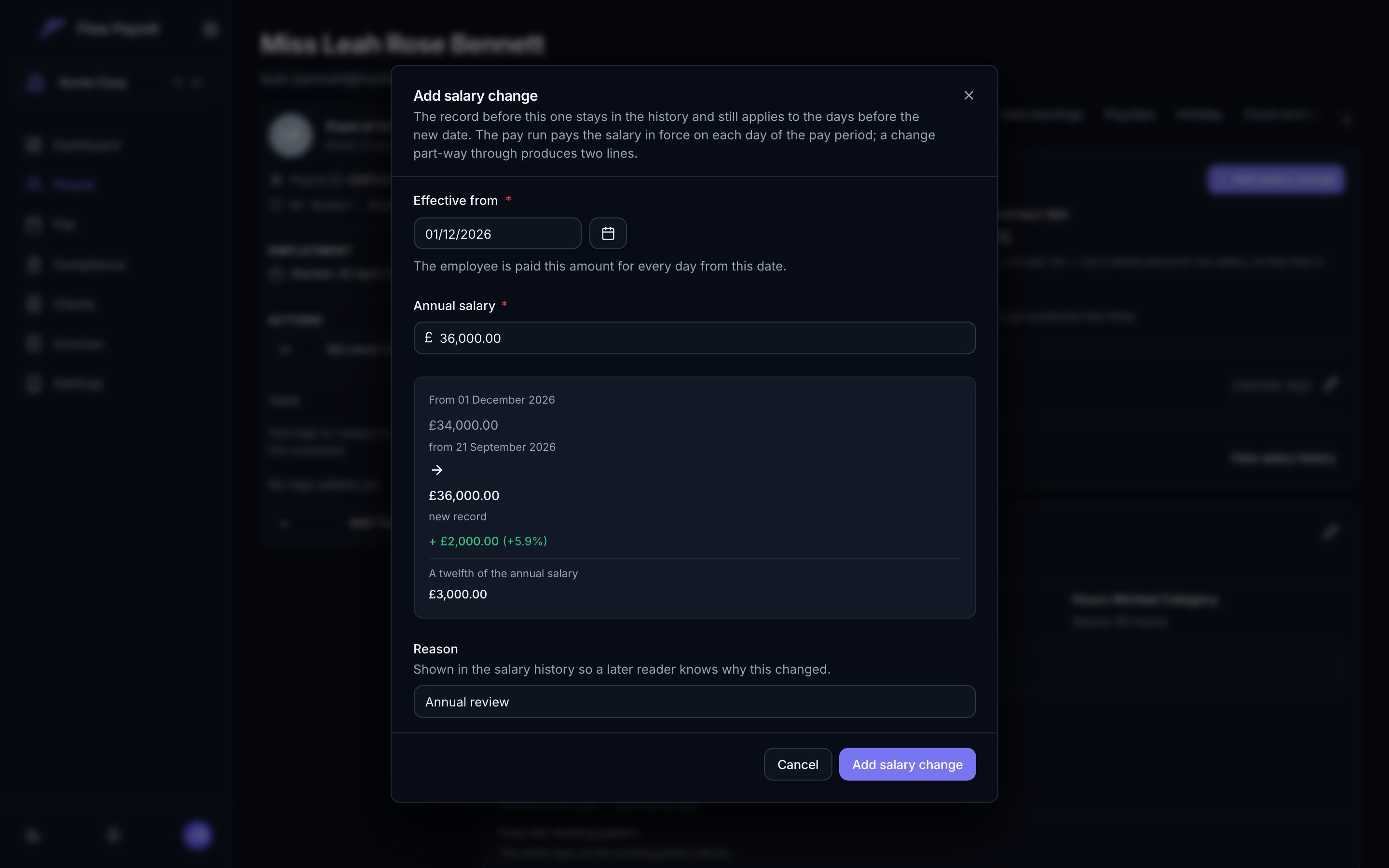
Adding a salary change — the preview names the record it takes over from, and what the rise is worth
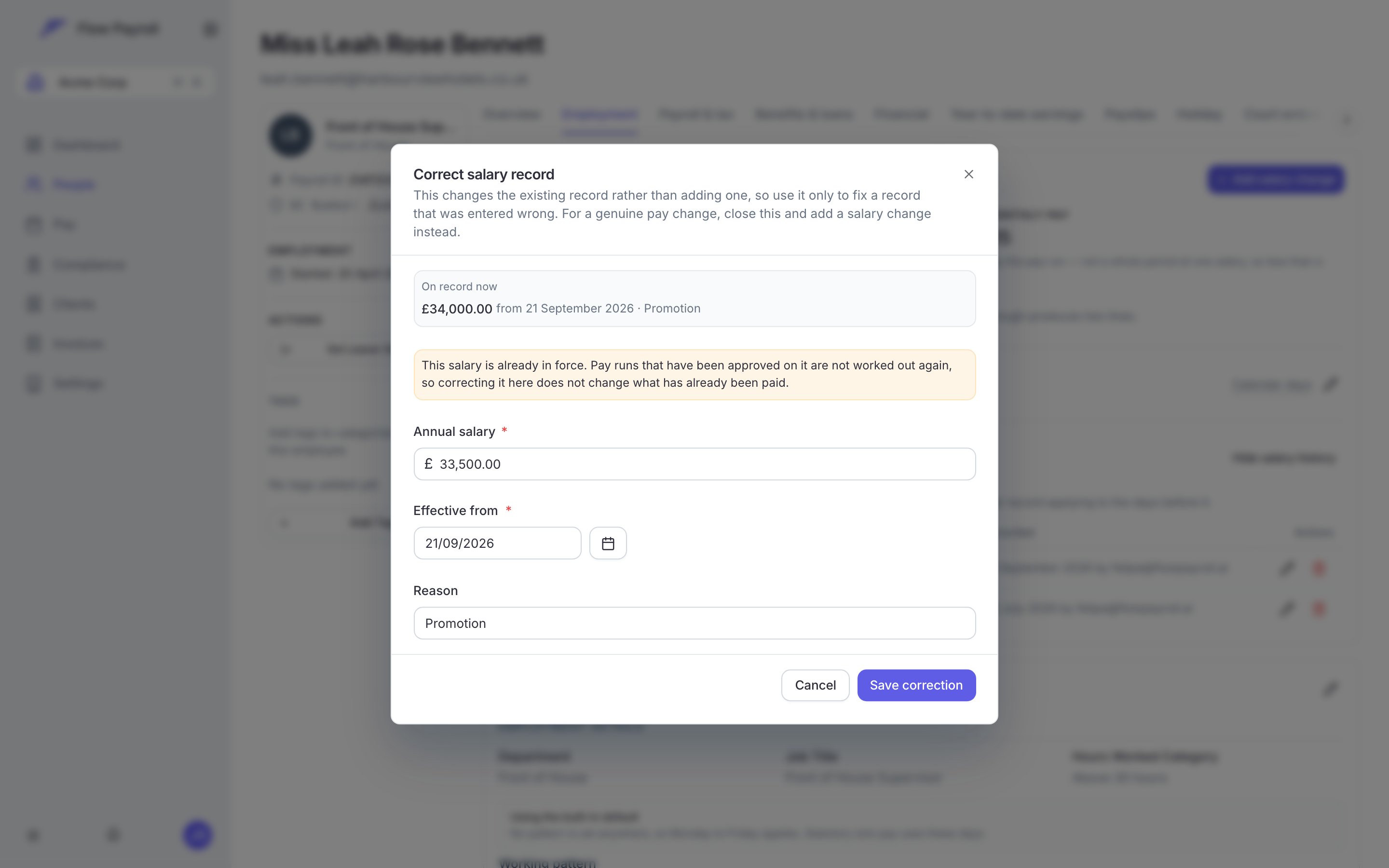
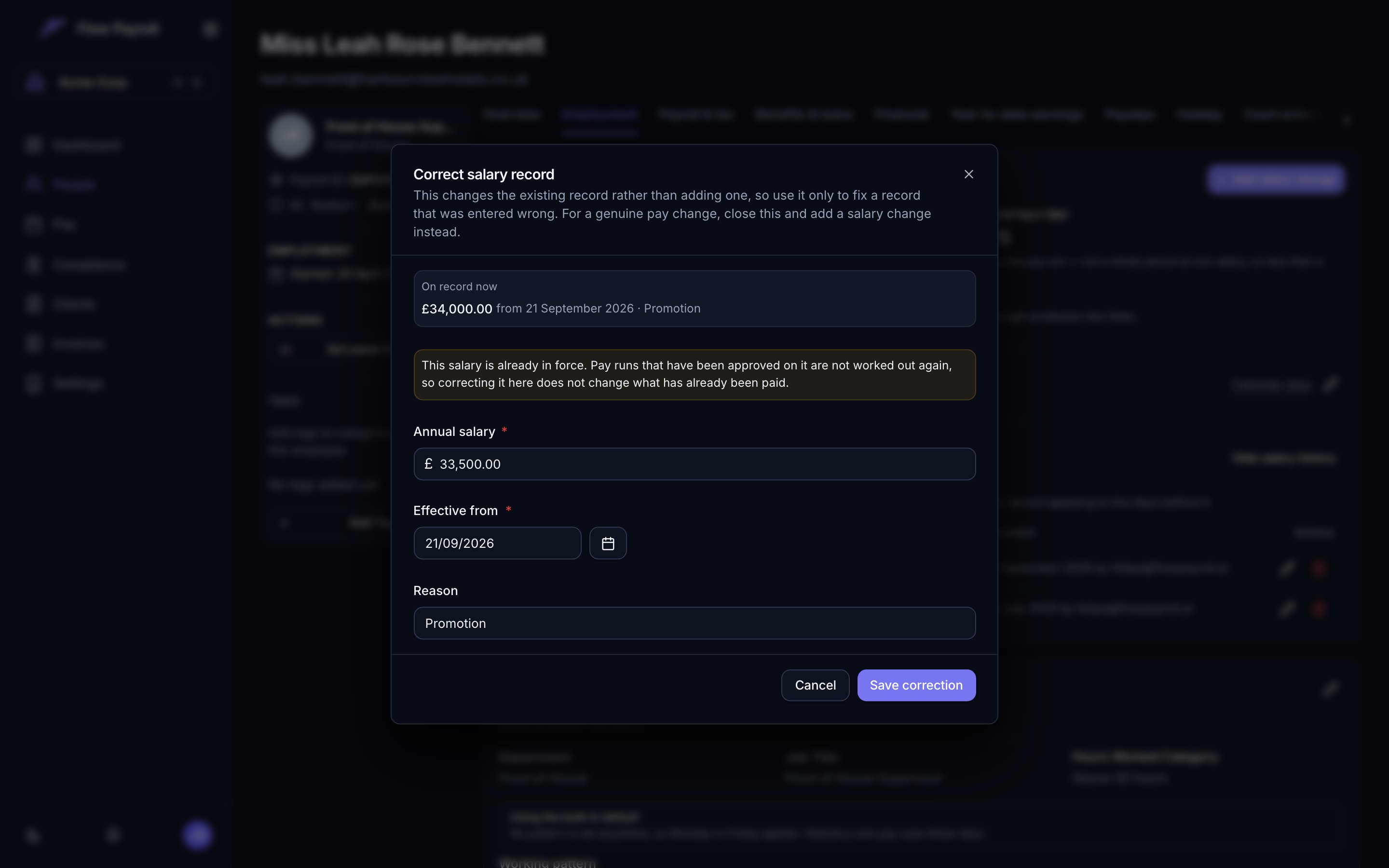
Correcting a record: the amount changes in place and the date it already has stays
How part periods are pro-rated
A full pay period is straightforward: the annual salary divided by the number of pay periods in the year. Twelve for a monthly payroll, 52 for weekly, and so on. A part period is any period the employee was not employed and on the same salary throughout — a joiner, a leaver, or a period with a salary change in it. Those are paid per day, and you choose which days count.
Both sides use the same kind of day, which is what keeps the two consistent. Working days matter most for part-time staff: somebody on a three-day week has around 156 working days in the tax year, not 260, so their daily rate reflects the week they actually work rather than a five-day assumption.
The tax year is the one containing the start of the period being paid — the UK tax year runs 6 April to 5 April.
Where to set the method
Set the organisation’s method under Settings → Employment → Salary calculation. It applies to everybody unless an individual overrides it. The same card carries Add salary lines to pay runs, which is what puts salary on a payslip at all. Turn it on and every employee with a salary on record gets a salary line; any open pay run is worked out again.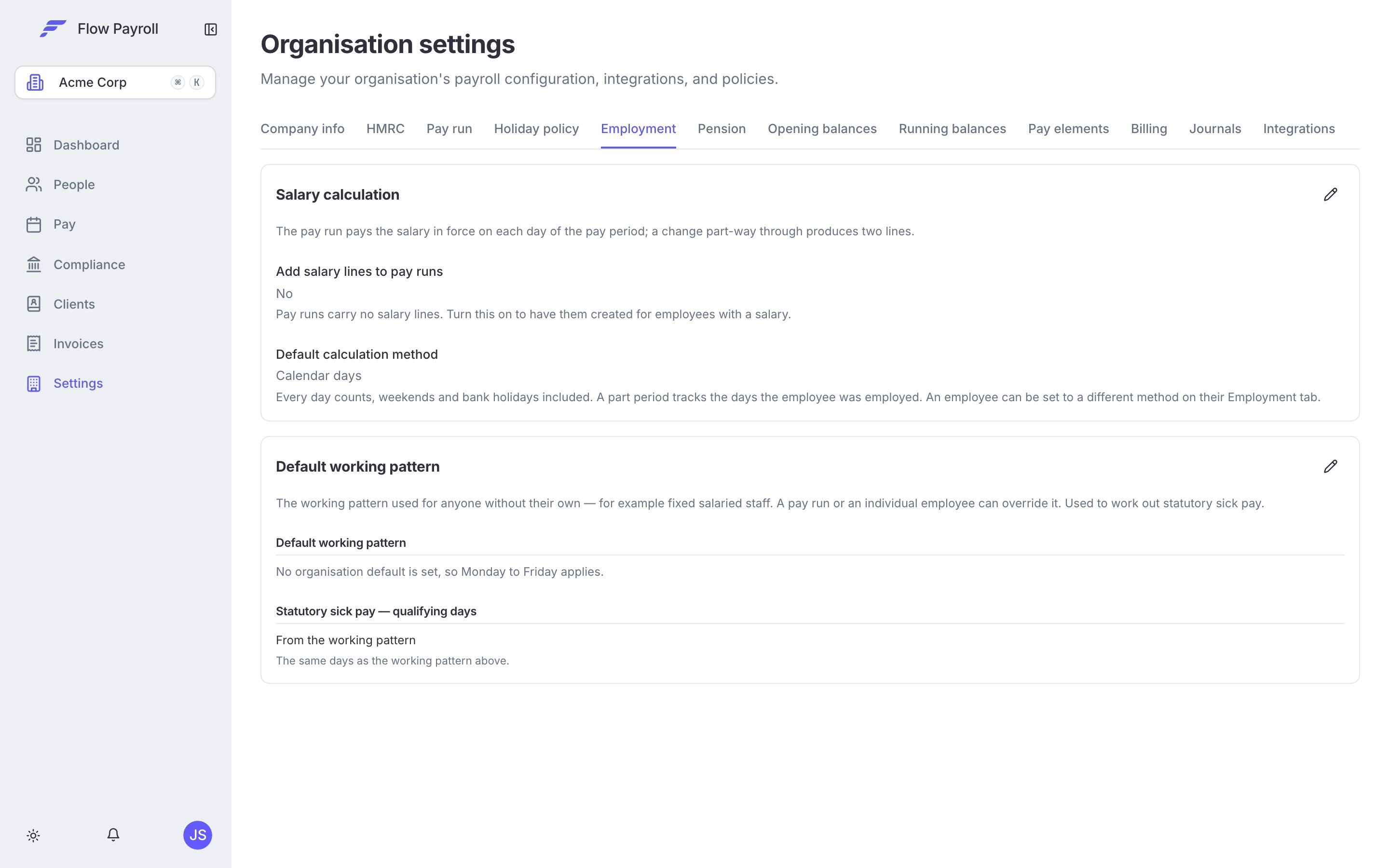

Salary calculation under Settings, Employment
Changing one employee’s method recalculates any open pay run they are on straight away. Changing the organisation’s method does the same for every employee who follows it: each open pay run is worked out again, so the change reaches the current period as well as future ones. On a large organisation this happens in the background over a short while rather than all at once. Locking a pay run waits for any payslip still being recalculated before it finalises, so a change that is already on its way is never half-applied — but leave a moment between a change and the lock, and check the payslip lines before you lock, because nothing is written into a period once it is locked.
What the pay run does
Salary appears as a line on the payslip, alongside everything else you pay.- A full period is one line for the period’s share of the annual salary.
- A joiner or a leaver is one line for the days they were employed in the period, at the daily rate.
- A payment after leaving, such as a bonus that was missed, gets no salary line. The period is after their leaving date, so there is no salary to pay; add the payment as its own line.
- A salary change part-way through is two lines: the old salary up to the day before the change, and the new salary from the day it takes effect. Each line names its dates and the days it covers, so the payslip explains itself.
- Days before an employee’s first salary version are not paid. If a joiner’s salary starts later than their start date, the gap is deliberate.
- Correcting a start date moves the first salary version with it. The starting salary is recorded from the start date, so when you fix that date the salary follows and the joiner is paid from the corrected day. If the corrected date would land on or after the next salary version, the change is refused until you tidy the history.
Working through the API
Sending
salary on PUT or PATCH /employees/{employeeId} is deprecated and stops being accepted on 20 December 2026 — use PUT /employees/{employeeId}/salary so the change carries a date. See the Salary API overview and Deprecations.
Related
Working patterns
The days an employee works, which is where working-day pro-rata comes from.
Running a pay run
Where salary lines appear, and how to change them before you lock.
Salary during statutory leave
What happens to the salary on days paid by statutory sick or family-leave pay.